KHTS Radio Santa Clarita Radio – Santa Clarita News

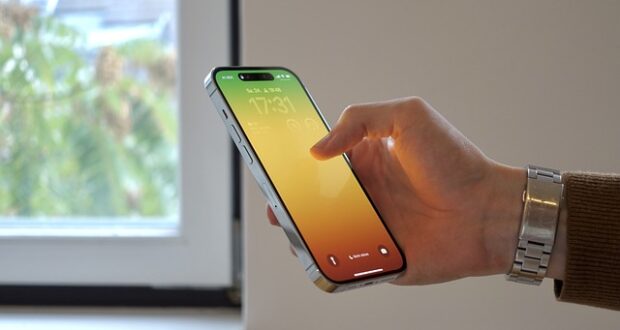
The iPhone 14 Pro Max is packed with innovative features and cutting-edge technology designed to elevate your smartphone experience. Whether you’re upgrading from an older iPhone or switching from another brand, knowing how to maximize your device will help you unlock its full potential. Here are some essential tips and tricks to get you started.
Set Up Your iPhone for Success
Begin by customizing your settings during the initial setup:
- Enable Face ID: Secure your device with Face ID, which uses advanced facial recognition technology. Go to Settings > Face ID & Passcode to set it up.
- Transfer Data Seamlessly: Use Quick Start to transfer data from your old device or restore from an iCloud backup.
- Customize Control Center: Go to Settings > Control Center and add shortcuts for quick access to frequently used features like flashlight, screen recording, and calculator.
Master the Dynamic Island
One of the standout features of the iphone 14 pro max is the Dynamic Island, a multifunctional pill-shaped notch. Here’s how to make the most of it:
- Real-Time Updates: Dynamic Island integrates with apps to display live updates like music playback, timers, and incoming calls.
- Multitasking: Tap or hold the Dynamic Island to expand and interact with ongoing activities without leaving your current screen.
Take Advantage of the Pro Camera System
The iPhone 14 Pro Max’s camera system is designed for photography enthusiasts:
- 48MP Main Camera: Switch to ProRAW mode in Settings > Camera > Formats for stunning high-resolution photos.
- Action Mode: Capture smooth videos even in motion by enabling Action Mode in the camera app.
- Night Mode: Take incredible low-light shots with automatic Night Mode. Use a tripod for even better results.
Personalize Your Always-On Display
The Always-On Display keeps essential information visible without unlocking your phone:
- Customize Wallpaper and Widgets: Go to Settings > Display & Brightness > Always-On Display to choose what’s displayed.
- Turn It Off: If you prefer not to use it, you can disable it in the same settings menu to conserve battery.
Optimize Battery Life
To ensure your iPhone lasts throughout the day, follow these tips:
- Enable Low Power Mode: Activate it in Settings > Battery when your charge is running low.
- Optimize Charging: Turn on Optimized Battery Charging in Settings > Battery > Battery Health to extend battery lifespan.
- Background App Refresh: Disable this for non-essential apps in Settings > General > Background App Refresh.
Explore iOS Features
The iPhone 14 Pro Max runs on iOS which introduces several new capabilities:
- Custom Lock Screens: Long-press on your lock screen to create and switch between different designs with unique wallpapers and widgets.
- Focus Modes: Set up Focus modes in Settings > Focus to filter notifications and apps based on your activity.
- Live Text: Use your camera to copy text directly from photos or videos.
Use MagSafe Accessories
MagSafe technology enhances your experience with compatible accessories:
- Wireless Charging: Use a MagSafe charger for faster and more convenient charging.
- MagSafe Wallet: Attach a wallet to the back of your phone for easy access to cards.
- Third-Party Accessories: Explore MagSafe-compatible cases, stands, and car mounts for added functionality.
Maximize Performance with Siri and Shortcuts
- Siri Commands: Set up Siri in Settings > Siri & Search for hands-free control over your device.
- Create Automations: Use the Shortcuts app to automate tasks, such as setting your phone to Do Not Disturb when you arrive at work.
Secure Your Device
Protect your iPhone and personal data:
- Find My iPhone: Enable it in Settings > Apple ID > Find My to locate your phone if it’s lost.
- Two-Factor Authentication: Secure your Apple ID by activating two-factor authentication in Settings > Apple ID > Password & Security.
- App Privacy Reports: Monitor app activity in Settings > Privacy & Security > App Privacy Report.
Explore Third-Party Apps
Enhance your iPhone’s functionality by downloading apps tailored to your needs:
- Photo Editing: Apps like Lightroom or Snapseed offer advanced editing tools for your photos.
- Productivity: Use apps like Notion or Todoist to stay organized.
- Entertainment: Stream movies and shows with apps like Netflix or discover new music with Spotify.
Final Thoughts
The iPhone 14 Pro Max is a powerhouse of features, blending top-tier performance with user-friendly design. By exploring its capabilities and customizing settings to suit your preferences, you can maximize your experience and truly make the device your own. With these tips and tricks, you’ll be well on your way to mastering your new iPhone.