KHTS Radio Santa Clarita Radio – Santa Clarita News

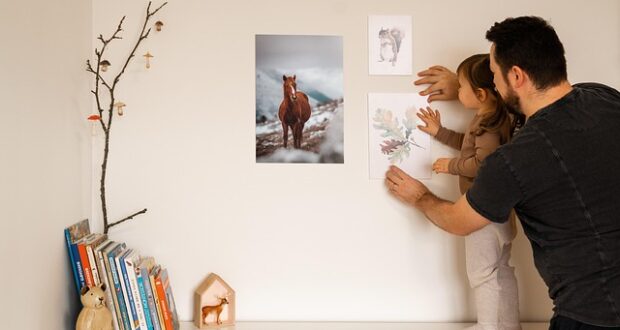
Why Static Images No Longer Cut It in Home Decor Marketing
A single polished photograph used to be enough. Today, audiences scroll past static posts in under a second, and platforms like Instagram Reels, TikTok, and Pinterest Video actively suppress non-video content in their algorithms.
The real problem isn’t creativity — most designers and sellers have stunning mood boards, beautiful product shots, and detailed room renders sitting unused on their hard drives. The gap is production. Traditional video creation requires editing software expertise, licensing stock footage, hiring videographers, or spending hours in post-production. For small businesses and independent creators, that pipeline is either too expensive or simply too slow.
This guide walks you through a practical, step-by-step workflow that transforms your existing home decor images into polished, platform-ready marketing videos using AI tools — no editing experience required.
Step to step guide for you to Turn Your Home Decor Photos into Stunning Marketing Videos with AI
Step 1: Organize Your Visual Assets Before You Start
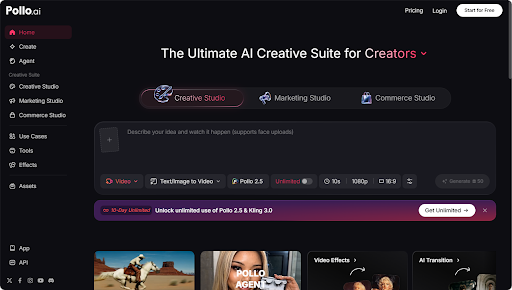
Before touching any AI tool, spend fifteen minutes sorting your existing image library. Pull together your highest-quality shots: mood board collages, before-and-after renovation photos, product flat lays, 3D renders, or inspiration images you’ve collected from client briefs. Aim for images with good natural lighting and a resolution of at least 1080px on the shorter side.
Group them by project or campaign theme. For example, a coastal living room refresh might have a mood board image, a furniture arrangement render, a close-up of textile samples, and a finished room photo. This grouping will make the next steps significantly more efficient and will help the AI tools generate more contextually coherent video sequences.
Step 2: Convert Your Design Images into Dynamic Video with AI
This is where the workflow fundamentally changes compared to traditional production. Using an image to video platform like Pollo AI, you can upload each image and have it transformed into a smooth, cinematic video clip within minutes.
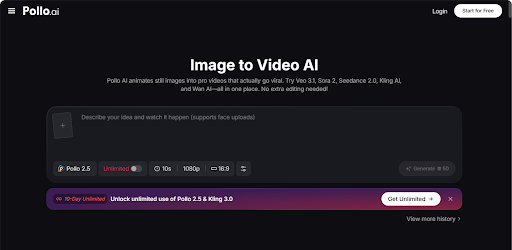
Pollo AI’s image to video technology aggregates multiple top-tier AI models in a single interface, meaning you can select the motion style, camera movement, and output resolution that best matches your content goals — all without switching between tools.
For home decor content specifically, subtle camera movements work exceptionally well. A slow zoom into a beautifully styled bookshelf, a gentle pan across a kitchen renovation, or a cinematic drift through a living room arrangement all communicate a sense of space and atmosphere that a still image simply cannot. Pollo AI’s image to video feature automatically applies cinematic-grade soundscapes and ambient audio to each clip, so the output arrives ready to publish without any additional audio editing.
This approach is particularly valuable for visualize home design AI workflows because it lets clients and customers experience a space emotionally before they’ve committed to a purchase or a design direction.
Step 3: Build a Narrative Arc Across Your Clips
A single animated clip is engaging. A sequenced series of clips that tells a story is memorable and shareable. Once you have individual video clips generated from your images, arrange them in a logical narrative order: start with the problem or the before state, move through the design concept or mood board, and end with the finished result or the aspirational lifestyle moment.
This structure mirrors how buyers actually think when they’re considering a home decor purchase or a renovation project. They start with a pain point — a cramped entryway, an outdated kitchen, a bedroom that doesn’t feel restful — and they need to be guided emotionally toward the solution. A sequenced video narrative does that work automatically.
Keep each individual clip between three and eight seconds for social media use. Longer clips work well for website landing pages or client proposal presentations, where viewers have already opted in to watching.
Step 4: Generate Branded Marketing Assets for Each Campaign
Video content drives awareness, but static branded visuals are still essential for product listings, email headers, Pinterest boards, and presentation decks. This is where Placeit AI enters the workflow. Placeit AI’s video generator is purpose-built for brand and e-commerce visual production, allowing you to drop your designs into photorealistic lifestyle scene templates and generate polished marketing visuals in minutes.
For home decor sellers specifically, Placeit AI’s extensive template library includes room mockups, lifestyle staging scenes, and social media post formats that let you present furniture, textiles, and decor accessories in context rather than against plain backgrounds.
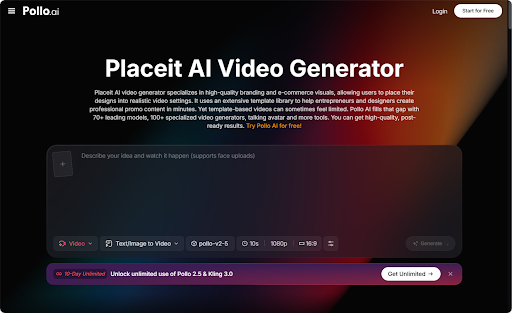
Entrepreneurs and designers who need to produce professional promotional materials efficiently will find this template-driven approach significantly faster than custom photography. It’s worth noting that because Placeit AI operates from a template library, highly unconventional or experimental design aesthetics may sometimes feel constrained by the available formats.
Used together, Pollo AI handles your dynamic video content while Placeit AI covers your static branded marketing assets — giving you a complete visual production workflow from a single creative session.
Step 5: Optimize and Distribute Across Platforms
Once your video clips and branded images are ready, tailor them for each platform before publishing. Instagram Reels and TikTok favor vertical 9:16 formats with the most compelling moment in the first two seconds. Pinterest Video works well in square or vertical formats with text overlay. YouTube Shorts follows similar rules to Reels. For website use, horizontal 16:9 clips feel more premium and are better suited to landing page hero sections.
Write captions that incorporate natural long-tail phrases your target audience actually searches for — terms like create room makeover video, home decor presentation ideas for clients, or interior design before and after video are all low-competition phrases that can drive meaningful organic discovery without requiring significant SEO investment.
Advanced Tips for Higher Engagement
Consistency in color grading across your clips signals professionalism and builds brand recognition over time. If your brand palette leans toward warm neutrals, ensure your image selections reflect that before uploading to any AI tool — the output quality is directly proportional to the quality and coherence of your input images.
Repurposing is also underused in this space. A single set of ten home decor images can generate ten individual video clips, three to five sequenced narrative videos, multiple branded still images via Placeit AI, and a compilation reel — all from one creative session. That’s a week of content from an afternoon of work.
Conclusion
The gap between having great design ideas and presenting them compellingly online has narrowed dramatically. With AI-powered tools handling the heavy lifting of video production and branded asset creation, home decor professionals and sellers can now produce the kind of high-quality visual content that was previously reserved for brands with dedicated production budgets.
Start with your existing image library, run your best shots through Pollo AI’s image to video workflow, layer in branded templates through Placeit AI, and distribute consistently across the platforms where your audience spends their time. The tools are accessible, the learning curve is short, and the competitive advantage for early adopters in the home decor space is still very real.