KHTS Radio Santa Clarita Radio – Santa Clarita News


In 2025, most Santa Clarita homes run on a steady stream of Wi-Fi, school devices, smart speakers, connected appliances, and remote work setups. The digital world isn’t something “out there” anymore—it’s woven into our living rooms, our kids’ backpacks, and even our morning routines. And while this connectivity brings comfort and convenience, it also brings new responsibilities.
The good news? You don’t need to understand coding, cybersecurity, or any of the “tech stuff” to protect yourself and your family online. A handful of simple, reliable habits can make your digital home as safe and calm as your physical one.
Whether you’re a parent helping kids navigate online schoolwork, a professional working from home, or simply someone who enjoys a smart, connected house, here are practical digital safety tips you can start using today.
1. Keep Your Devices Updated (It’s easier than you think)
Almost every device we use—phones, tablets, laptops, smart TVs, even doorbell cameras—runs on software that needs updating from time to time. Those little pop-ups we all love to ignore aren’t just annoying; they often contain important security fixes.
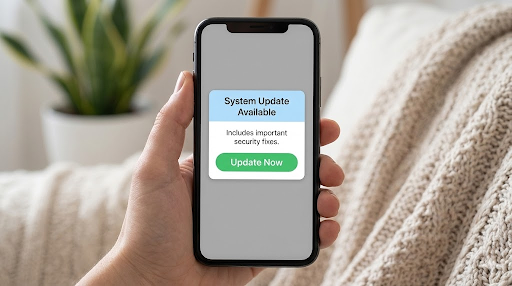
A simple rule:
If a device connects to the internet, it should stay updated.
Helpful ways to make this painless:
- Turn on automatic updates where possible
- Restart devices weekly so updates can finish
- Replace very old devices that no longer receive updates
This one habit blocks many of the most common online threats.
2. Give Your Home Wi-Fi a Quick Health Check
Your home Wi-Fi is the heart of your digital life. If it’s insecure, everything connected to it—family photos, school accounts, financial info—becomes easier to access.
Here’s what actually matters:
- Change your Wi-Fi name so it doesn’t reveal your identity or address
- Use a strong Wi-Fi password
- Create a “guest network” for smart devices like TVs, speakers, cameras
- Place your router somewhere central for better coverage and fewer weak spots
These small adjustments go a long way in helping keep your online activity private and your household protected.
3. Teach Kids (and Teens) Light-Touch Digital Awareness
Kids today grow up in a digital-first world—schoolwork, gaming, social media, and messaging all happen online. Even so, most children and teens need gentle guidance to develop healthy online instincts.
Simple conversations you can have once or twice a year:
- “Don’t share your full name, school, or address with strangers online.”
- “If an app asks for unusual permissions, ask an adult first.”
- “Not every link is safe. When in doubt, don’t click.”
- “Passwords shouldn’t be shared with friends, even best friends.”
A few minutes of awareness can prevent a lot of headaches later.
4. Audit Your App Permissions (Takes five minutes!)
Many apps collect far more information than they need. It’s not always malicious—but it’s often unnecessary.
Once a month, check what your apps can access:
- Location
- Camera
- Microphone
- Photos
- Contacts
If a simple game wants your microphone or a flashlight app wants your location, it’s completely okay to switch that off. You stay in control of what you share.
5. Protect Your Online Activity With a VPN
One of the easiest and most effective ways to boost your privacy is by using a VPN. A VPN (Virtual Private Network) encrypts your internet traffic so others—like advertisers, hackers, or even your Internet Service Provider—can’t easily track what you’re doing online.
A VPN helps:
- Keep your browsing activity private
- Protect you when using public Wi-Fi (coffee shops, airports, libraries)
- Shield school and work communications
- Make smart-home devices harder to profile
- Add an extra layer of peace of mind for your whole family
Many Santa Clarita residents and families use X-VPN, a simple, secure tool that works on phones, tablets, and laptops. Getting started is easy—visit the VPN Download page, install the app, and you’re protected with a single tap.
You don’t need tech expertise; you just turn it on when you want privacy.
6. Turn On Multi-Factor Authentication (MFA) Everywhere
Multi-Factor Authentication adds an extra step to logins—usually a code texted to you or generated on your phone. It’s one of the strongest, simplest protections available.
Turn it on for:
- Banking apps
- Social accounts
- School portals
- Online shopping sites
Think of MFA as the deadbolt on your digital front door.
7. Back Up Your Important Files
Homework, tax forms, work documents, family pictures—so much of our lives are stored digitally. Backups keep your memories and important records safe even if a device breaks, gets lost, or has to be reset.
The easiest approach:
- Use cloud backup for automatic saves
- Use an external hard drive for important long-term files
Doing both is the digital equivalent of keeping spare keys somewhere safe.
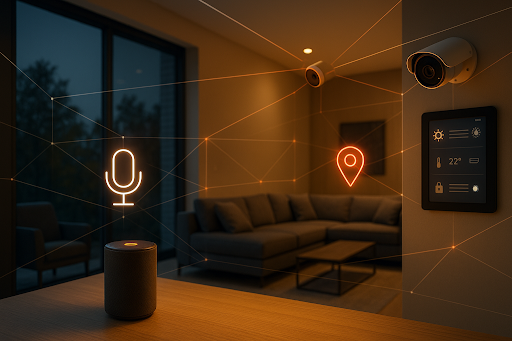
8. Review Smart-Home Devices Every Season
Santa Clarita homes are full of connected devices—from doorbell cameras to thermostats. These devices make life easier, but they also store data and require maintenance.
Every three months:
- Delete old recordings
- Change default passwords
- Turn off features you don’t use
- Update device software
- Check the privacy settings
It takes about 10 minutes and helps keep your household’s digital footprint small and controlled.
Final Thoughts: Small Habits Build Strong Digital Homes
Digital safety doesn’t have to be intimidating. It’s simply part of caring for your home and your family in today’s online world.
By keeping devices updated, strengthening your Wi-Fi, talking to your kids about smart habits, reviewing app permissions, and using tools like X-VPN for private browsing, Santa Clarita families can enjoy all the benefits of a connected life—without sacrificing peace of mind.
A few thoughtful habits today can help create a safer, calmer digital environment for years to come.