KHTS Radio Santa Clarita Radio – Santa Clarita News

The biggest hurdle one can face is data transfer when upgrading their devices after a long time. Sharing large files from one device to another could have been a huge hassle if the ZIP utility were not there. However, you might lose all of your important digital assets if the zipped files get damaged.
Many techniques have been introduced that help you recover the data and repair the corrupted files with the advancement in technology. In this article, we will discuss the top techniques to recover corrupted RAR files with only a few clicks.
Part 1. Identifying the Problem – Recognizing When a WinRAR File is Corrupted
Part 2. Utilizing WinRAR’s Built-In Repair Feature to Address Corrupted RAR Files
Part 3. WinRAR File is Corrupted: Try Extracting It Online
Part 4. The Best Corrupted RAR File Repair Software Solution – Repairit
Part 5. Preventative Measures – How to Avoid Future RAR File Corruption
Part 1. Identifying the Problem – Recognizing When a WinRAR File is Corrupted
It is important to understand how to detect a corrupted RAR file before learning about the repair solutions. Provided below are a few ways through which you can identify if the file is corrupted or not:
- Incomplete File Extraction: When you are trying to extract some files, and some of the files are not extracted completely, this indicates that the RAR file might have been corrupted.
- Archive Ending Unexpectedly: The archive may appear smaller than expected, or extraction may stop halfway through, leading to the indication of file damage.
- Crashing of the Resource: The tool might stop responding during extraction when there is a memory allocation problem within the file.
- Error Messages: Messages such as “Cannot Open File” or “Archive is either in unknown format or damaged” appear on the screen when the WinRAR file is corrupted.
Part 2. Utilizing WinRAR’s Built-In Repair Feature to Address Corrupted RAR Files
WinRAR is a primary tool used to save and compress multiple large files into a single zipped folder for easy transfer. It includes a basic repair feature that can fix minor corruption issues. This utility scans the damaged archive, attempts to reconstruct the file structure, and rebuilds the missing or broken parts where possible. Provided below are the steps to use the built-in repair function for file corruption offered by WinRAR:
Step 1. Start the process by launching the tool and accessing the “File” tab at the top-left corner. Next, click the “Open archive” option to open the damaged file within the interface.
Step 2. Head to the top toolbar and press the “Tools” option once the file appears within the interface. Next, choose the “Repair archive” option to initiate the process.
Step 3. Next, choose whether you want to treat the file as ZIP or RAR, and hit the “OK” button to execute the process.
Step 4. The repair will begin instantly, with progress in the small dialog box. Once the repair is done, tap the “Close” button and open the file again to process it.
Limitations
While the built-in WinRAR function is convenient, it may come with a few limitations for corrupted RAR files:
- Limited Functionality: WinRAR’s built-in repair tool is designed for simple structural issues and minor errors. It cannot reconstruct heavily damaged files or handle complex repair scenarios like specialized software can.
- Potential Data Loss: There’s a risk that some portions of the archive will remain corrupted or get lost entirely during the repair process. Since WinRAR doesn’t preserve backup automatically, failed repairs might leave files partially recovered or unusable.
- Limited Recovery Capabilities: The repair feature can only resolve basic problems, such as header damage or missing bytes, and does not work well on multi-part archives or severely broken files.
Part 3. WinRAR File is Corrupted: Try Extracting It Online
You can use tools like ZipRepair if you are looking for an online solution for corrupted RAR file repair software. Users can easily review the progress of the repair within the interface. Provided below are the steps to repair a compressed file using this online tool:
Step 1. Begin the process by accessing the online tool on your web browser and uploading your corrupted file using the “Choose Files” option. Next, enter your email in the dedicated text box and press the “Send” button to begin the repair.
Step 2. Wait for the tool to execute the repair, and once the process is completed, press the “Download” button to save the file to your device.
Limitations
Using an online tool when a WinRAR file is corrupted can be a quick process; however, it has some drawbacks, as discussed below:
- Limited File Format Support: ZipRepair is designed solely for standard .zip files and does not support other compression formats for repairing.
- No Batch Repairing: The tool processes one ZIP file at a time, which can be inefficient for users who need to repair multiple archives.
- Incomplete Recovery from Severely Damaged Files: If a ZIP file is extensively corrupted, the online tools may fail to restore all contents.
Part 4. The Best Corrupted RAR File Repair Software Solution – Repairit
If you are looking for an offline solution that offers high-quality file repair with extensive functionalities, try using Repairit File Repair. Whether you have a single file or a compressed folder with multiple files, the tool efficiently detects the damage and repairs it accordingly. Moreover, the tool supports numerous formats such as MOV, MP4, MP3, and JPG to perform damage repair.
Besides file restoration, the tool offers various enhancement utilities to make the visuals of your video or image more enhanced. Additionally, you can simply drag and drop the folder to the intuitive interface of this corrupted RAR file repair software to begin the repair process instantly.
Coherent Features of Repairit
- Batch File Repair: This feature allows users to add and repair multiple corrupted files at once, saving time and effort.
- Advanced Repair Mode: Repairit’s Advanced Repair Mode dives deeper into corrupted archives using intelligent scanning and file reconstruction algorithms.
- Internal Hierarchy Preview: Before extracting or saving repaired files, Repairit provides a hierarchical preview of the archive’s contents.
- Automatically Decompress and Extract: After successful repair, Repairit can automatically decompress and extract the restored archive without needing a separate unzip tool.
Comprehensive Guide For Repair WinRAR Files With Repairit
Having learned about Repairit and the features it offers, let us now have a look at the step-by-step guide to using this tool for fire repairing:
Step 1. Start By Acquiring the File Repair Function
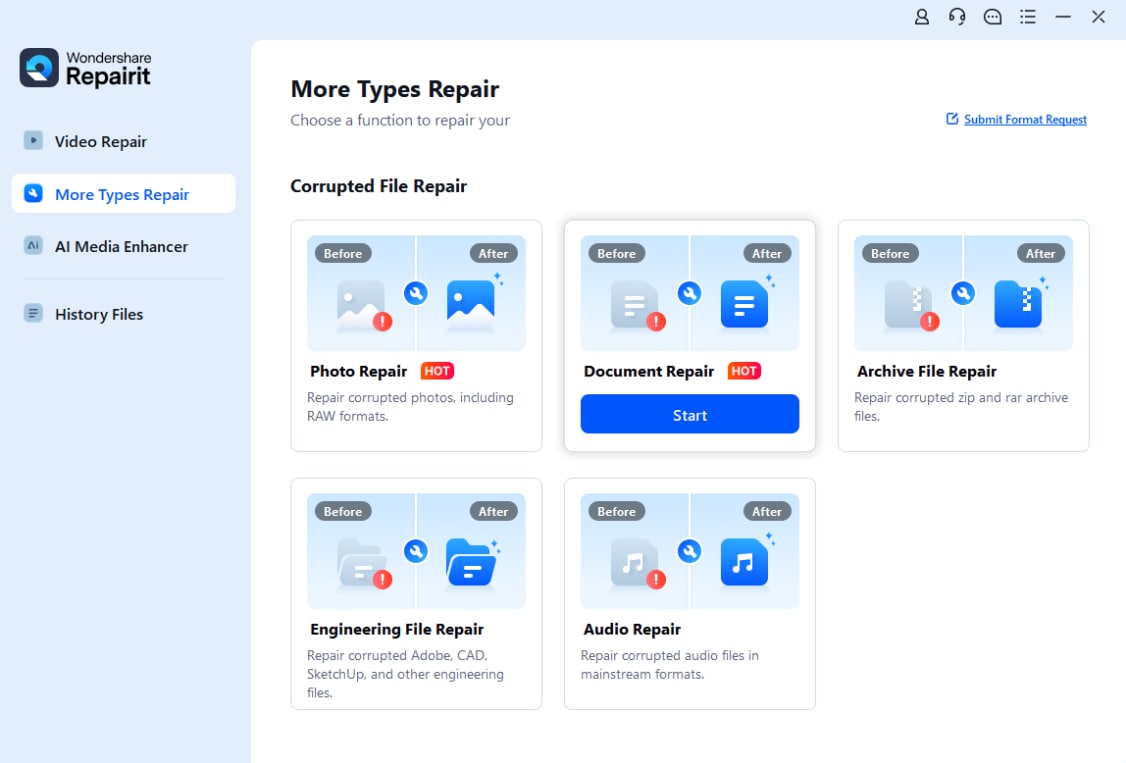
Once you have installed and launched the tool on your computer device, explore the homepage and locate the “File Repair” option within the “More Types Repair” section.
Step 2. Add Files for Repairing
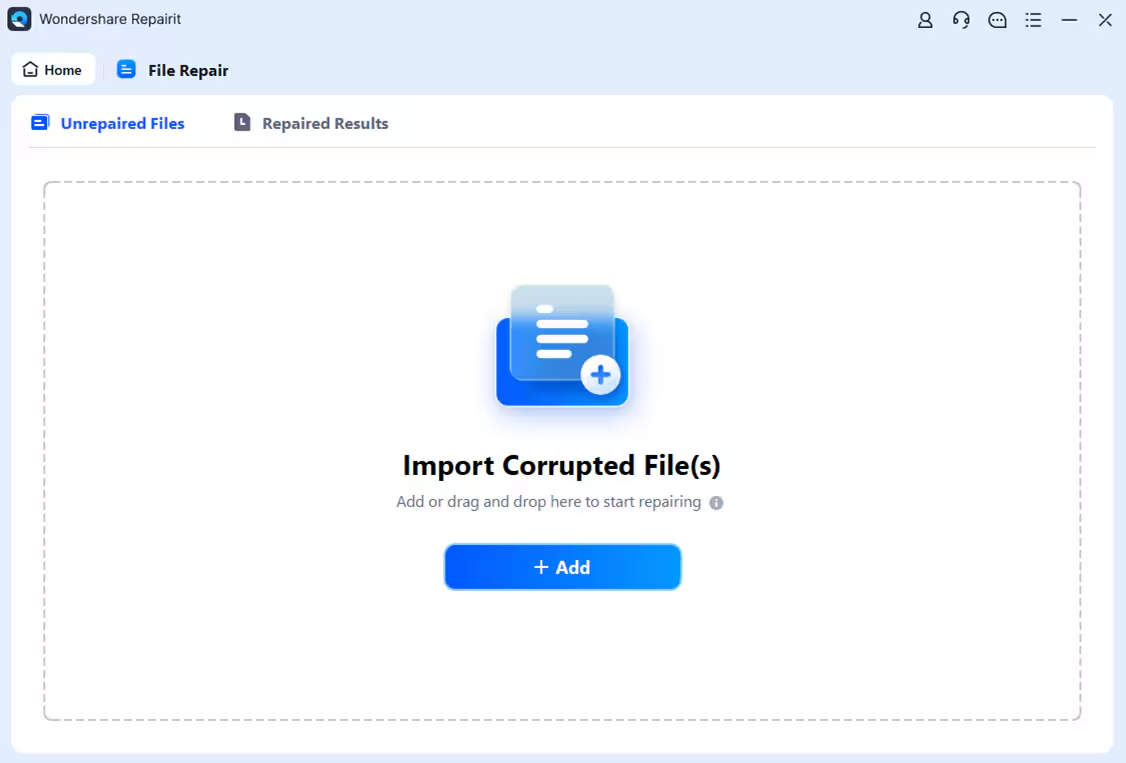
In the following interface, press the “Add” button to add the corrupted RAR files. Conversely, you can drag and drop the zipped folders directly to the tool’s interface.
Step 3. Review the Files and Start the Process
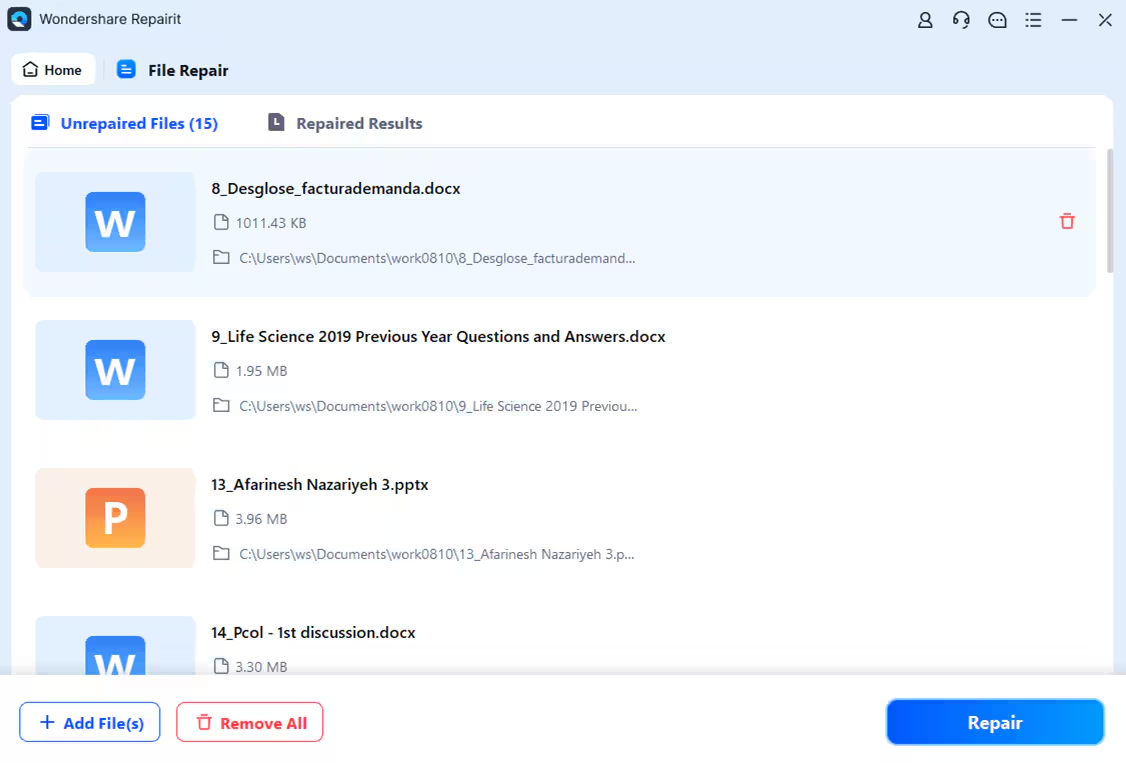
Once the files are successfully imported, have a look at all the content in the zipped file and hit the “Repair” button located at the bottom.
Step 4. Review and Save the Repaired Files
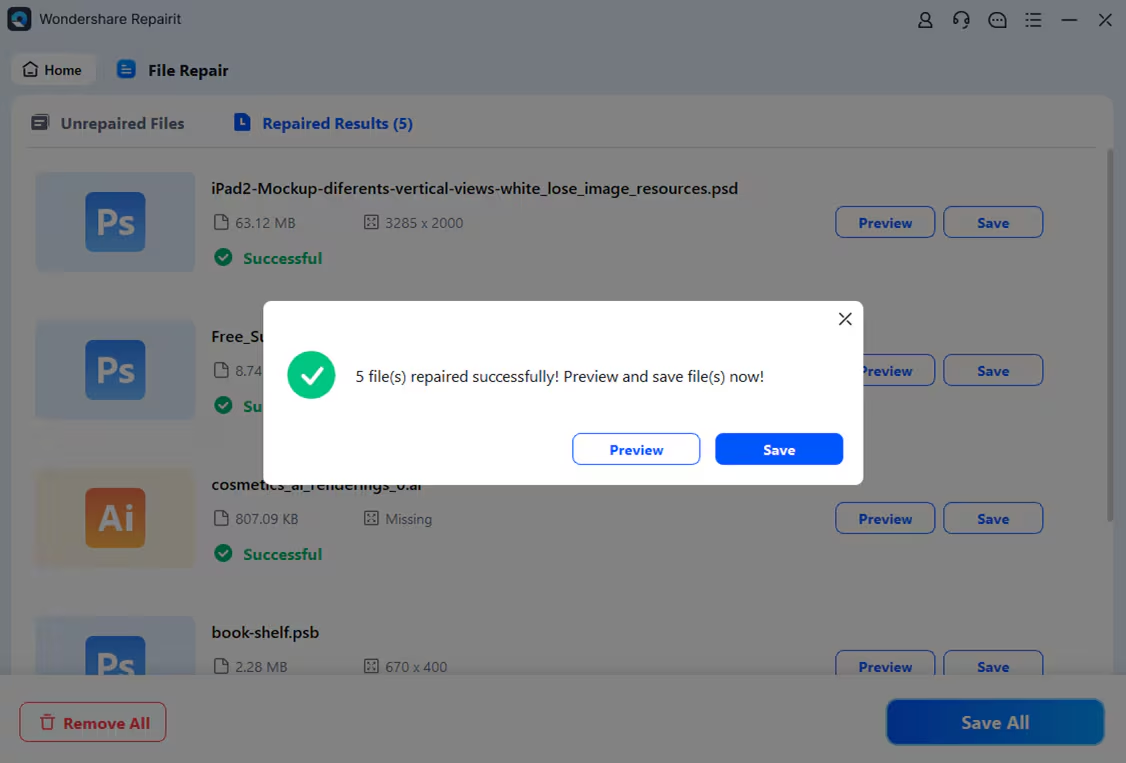
After the completion, press the “Save” button to save the repaired file or the “Preview” button to have a look at the content that has been restored.
Part 5. Preventative Measures – How to Avoid Future RAR File Corruption
Here are some preventive measures you can take to avoid file corruption altogether:
- Use Reliable File Compression Tools: Always use the latest version of trusted tools to compress files properly.
- Avoid Interrupted Downloads: Make sure you have a stable internet connection when downloading large RAR files, as interrupted downloads often result in corrupted files.
- Backup Archives: Keep a second copy of important archives in cloud storage or external media.
Conclusion
To conclude, this article discussed various methods to recover corrupted RAR files. The article also discussed the limitations of those methods and suggested Repairit as one of the reliable solutions. The tool uses advanced technology to detect the content in your WinRAR files and repair it while maintaining the quality.